Live Help

User Manager Component

User Manager is a component that controls privileges
and access to a Web site by managing
User names and passwords.

User Manager Features:

  • Q-Security(tm) completely controls an individual User's access to sensitive software component functions on the Web site.
  • User Manager is fully integrated to the software component library enabling it to control access system wide. The result is single user name and password access to the Web site for both Users and Administrators.
  • Q-Smart Privilege(tm) dynamically expands and decreases a User's rights and privileges to component functions based on their level of involvement and participation.
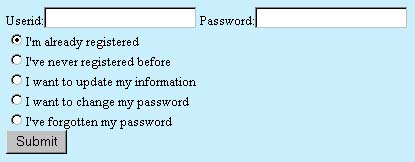
  • New Users can register online.
  • Enables Web site Administrators to have open access to as many functions as the site owner deems appropriate.
  • Web site Administrators can award additional privileges to Users as they see fit.
  • Users can update their profile information and change their password at any time.
  • Emails lost passwords to User's previously entered e-mail address.
  • Completely menu driven and Web based.
  • Totally accessible with a standard Web browser.
  • No need for anyone (including the Administrator) to Telnet or make modifications to source code to effect a change to a User's privileges. No need to know UNIX, NT or any other command line functions.
  • Can be run in an secure SSL environment for maximum protection.
  • Completely customizable to match the Web site.

Q-Security: Many areas of the Web site contain sensitive information that the Web site owner may not want to share with Users or administrators. The User Manager enables each Administrator and User to have individualized privileges for most Quality Programming integrated software components.

Smart Privilege: Individual software components dynamically open privileges as appropriate. For example, when an advertiser orders banner advertising using the online order form, the advertiser's privileges automatically extend to allow them access to their banner's results, and modification of the banner they uploaded.

Lets go live:

Login Here
Edit Users

Back to Components Index

You must login to the User Manager to demo software components. To obtain a demo password, e-mail info@qprogramming.com.  

Copyright © 2000 - Quality Programming Corporation