|
 |
 |
 |
 |
 |
 |
 |
 |
 |
 |
 |
 |
 |
 |
 |


 | |||||||||
 |
 |
 |
 |
 |
 |
 |
 |
|
|
|
|
 |
|
|
|
|
|
||
| ||||
Channel Bank Component
Q-Channels(tm)
is a development tool that
enables anyone to quickly import and categorize
thousands of hyper links with minimal or no HTML
coding and add them to their Web site.
|
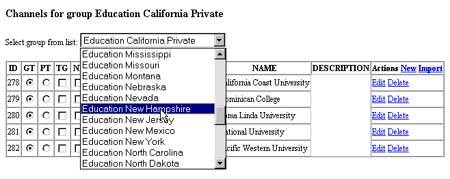
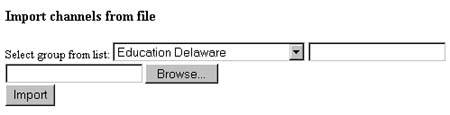
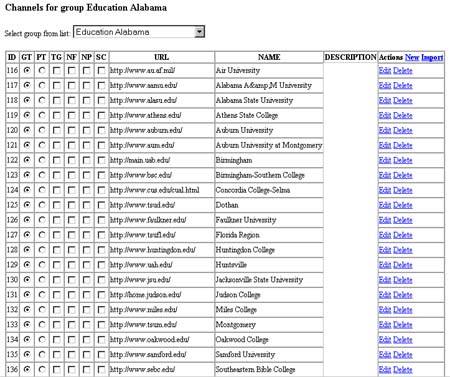
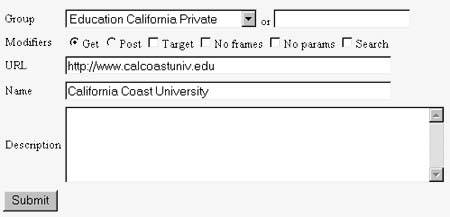
Q-Channels is an advanced database application that enables Administrators to manage small or large lists of URL's and store them in categories we call Q-Channels. URL's can be gathered and entered manually or spidered from other Web sites and imported automatically using our import software utility. Above is a sample of Education categories where links were imported. Once the Channel Bank is loaded up with URL's, a single line of HTML code can be inserted into any Web page, to make all or select Channels available to users. Q-Channels utilizes an advanced re-direction scheme called Q-Redirect(tm) to help protect the list of URLs that are now in the Channel Bank so they are not easily duplicated or imported to other foreign Web sites. Q-Channels also enables Administrators to insert standard HTML attributes into each individual URL field and URL description field. Administrators can attach individual images like graphic logos or icons that correspond to the URL as well. Q-Channel Administrators can determine if individual URLs should take on certain characteristics like GET or POST or if they want the URL to open in a new browser session they simply check a box. Global attributes are also changable by the Adminsitrator. Each URL can open in a frames page where the top frame contains a banner (see Q-Banner) and/or hyper links that are preset by the Administrator, keeping the User more captive. A list tool is available to extract URL's. Features include:
Q-Channels allow the Administrator to import URL lists into existing or new categories.
Q-Channels provides a complete list of all URL's and allows you to set their attributes.
Q-Channels allow you to modify each link, add HTML, and define what it will look like on the channel list. Lets go live:
You must login to the User Manager to demo software components. To obtain a demo password, e-mail info@qprogramming.com. |